
Step 1
Copy and paste
Copy the channel URL or @handle, then paste it into the search box.
Want to know whether a YouTube channel is live right now? Enter the channel URL or @handle and click Check to see its current public streaming status. It's free, and no YouTube login is required.
Live stream status
Paste a YouTube URL or ID above and run the tool to see results here.
A YouTube Live Stream Checker helps you determine whether a channel is currently broadcasting a public livestream.
Enter a YouTube channel URL, unique @handle, or channel name.
The checker displays the channel as Live, Offline, or Upcoming, depending on the publicly available information.
For the most accurate result, use the channel's full URL or @handle because channel names may not be unique.
Check a channel's current public live status in a few quick steps.
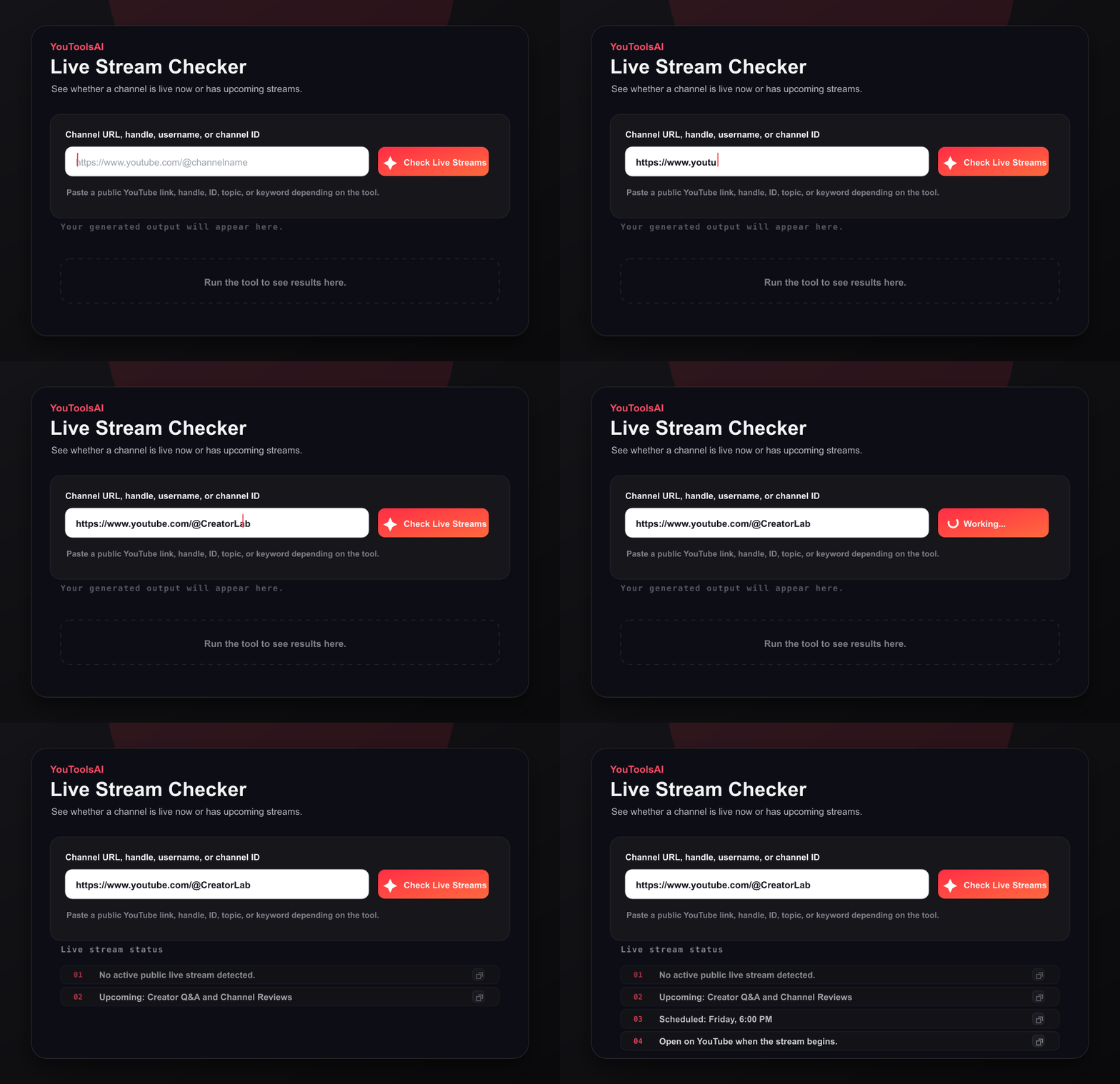
Copy the channel URL or @handle, then paste it into the search box.
Click Check and review whether the channel is Live, Offline, or Upcoming.
If the channel is live, open the stream and start watching.
If you search by channel name and several matches are found, select the correct channel from the available results.
Depending on the public information available, the tool may display:
The checker works in a browser on desktop and mobile devices, with no registration required.
The tool is designed to identify publicly discoverable livestreams. It may not detect:
A channel may therefore appear offline even when it is running a non-public broadcast.
Channel is live
Input: youtube.com/@GamerLena
Channel is offline
Input: @TechTalksDaily
If the checker does not return the expected result:
The checker uses publicly available YouTube channel and livestream information. You do not need to sign in, subscribe to the channel, or provide access to your YouTube account.
Results reflect the information available when the check is performed and may occasionally be delayed.
Common questions about YouTube Live Stream Checker.
You can check most publicly available channels using their URL, @handle, or name. Non-public livestreams may not be detected.
Yes. You do not need to subscribe to the channel or sign in to YouTube.
The checker may display the closest matches. Use the unique @handle or full channel URL to avoid selecting the wrong channel.
Publicly scheduled streams may appear as upcoming when that information is available.
The stream may be private, unlisted, members-only, region restricted, or too new to appear in YouTube's public data.
Yes. The checker is free to use and does not require registration.
Related tools
Enter a channel URL, handle, username, or channel ID to fetch its most recent public uploads with thumbnails and publish dates.
Open toolSee any public channel's key numbers in seconds - subscribers, total views, video count, and more. Free, no login.
Open toolPaste a channel URL, handle, username, or channel ID to list top public videos sorted by views.
Open tool