
Step 1
Copy and paste the channel
Copy the channel URL or handle you want to check, then paste it into the field at the top of this page.
Paste a channel link and get its most-viewed videos in a ranked list. Free, and no YouTube login or channel connection is required.
Top videos
Paste a YouTube URL or ID above and run the tool to see results here.
It's a tool that ranks a channel's videos by view count so you can see the highest performers without scrolling through years of uploads.
The tool retrieves the accessible public videos supported by its data source and ranks them using their current public view counts. Each result shows the thumbnail, title, length, publish date, current view count, and a direct link to the video.
Creators and marketers mostly use it for niche research: working out which topics took off on a competitor's channel, which formats keep reappearing near the top, and where the gaps are.
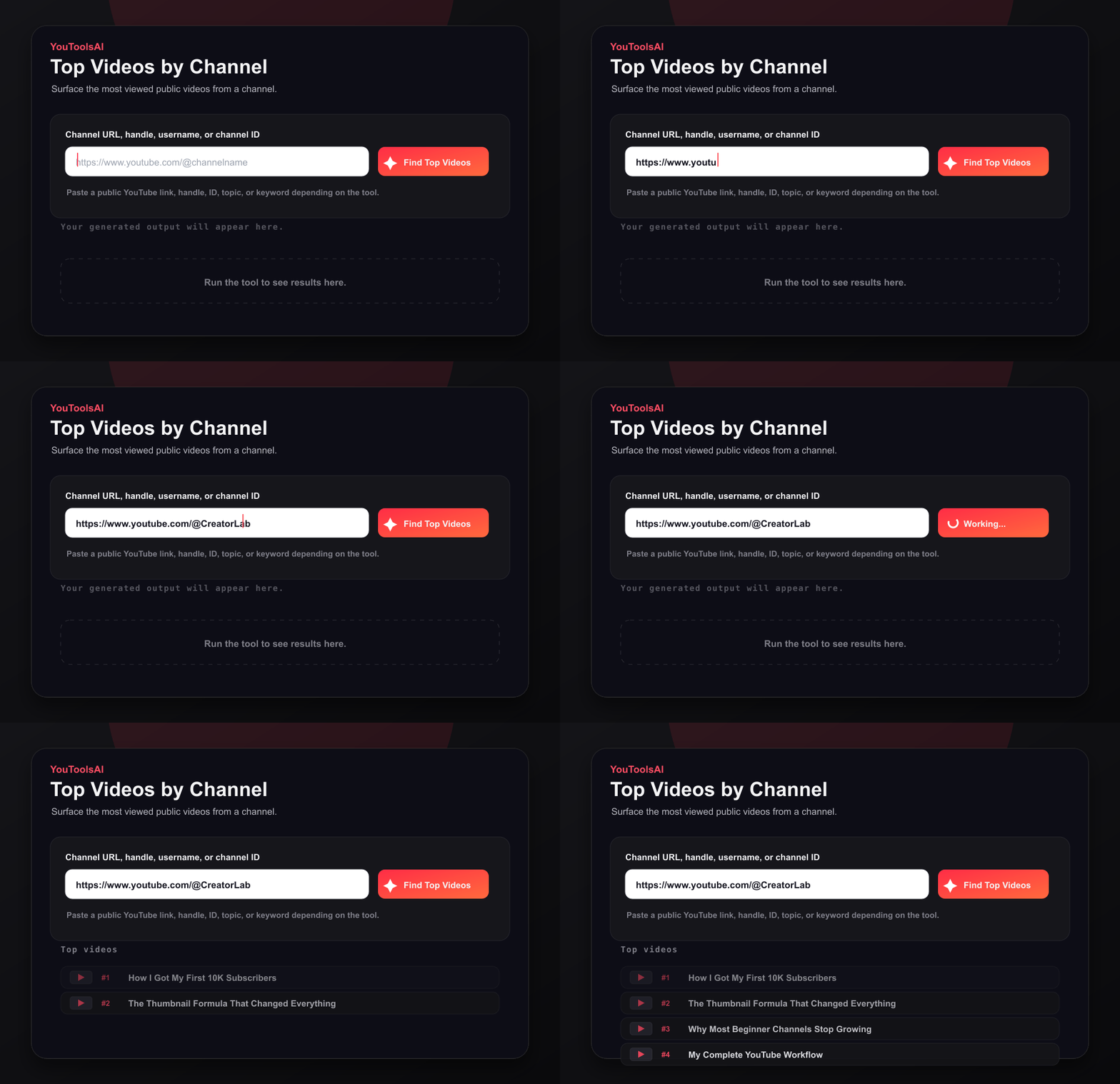
Copy the channel URL or handle you want to check, then paste it into the field at the top of this page.
Click Find Top Videos to load the channel's strongest public videos.
Read the ranked list from most to least viewed, then adjust result count, video type, or publishing period.
Paste a channel URL or handle for the most reliable result. If you search by name, select the correct channel from the matching results - plain channel names aren't unique, and several channels can share one.
Every row in the list gives you enough to judge a video without opening it:
View counts move constantly, so each result set carries a data retrieved timestamp. If you're comparing two channels or building a spreadsheet, note that timestamp - numbers pulled a week apart aren't directly comparable.
Run the competitor's channel through the finder.
Note which topics and formats appear most often near the top.
Read the titles and thumbnails on their biggest performers.
Look for angles they haven't covered that fit your channel.
That last step matters more than it sounds. A five-year-old video with two million views might have caught a trend that has since died, arrived when the channel was posting something different entirely, or picked up most of its views from an external link rather than YouTube search. Sorting by views tells you what accumulated attention, not what would work if you published it tomorrow.
YouTube channel pages generally let you view videos in Popular order. This finder provides a separate ranked list designed for research, making titles, views, and publish dates easier to compare.
The practical difference is the format. YouTube gives you a grid you scroll; this gives you a table you can scan, filter, and cut off at whatever number of results you need. If you're checking one video, use YouTube. If you're comparing patterns across five channels, a table is the better instrument.
Example 1
Input: a link to a DIY channel
Example 2
Input: a link to a fitness channel
A ranked list is a starting point for hypotheses, not a content calendar. Work through it like this
Topics appearing among the top videos of several comparable channels may indicate broad audience interest, but current trends and publishing context still matter. Cross-check anything promising against YouTube search suggestions, Google Trends, or recent uploads before you plan around it.
Common questions about YouTube Top Videos by Channel.
The single upload with the highest lifetime view count. It's worth remembering that this reflects accumulated views over time, so older videos have an advantage - a recent video with strong momentum may be outperforming it while sitting lower in the list.
Generally yes, via the Popular ordering on a channel's video page. This finder presents the same idea as a comparison-friendly table with metrics alongside each result.
Any channel you can view normally. Private videos aren't included, and results reflect the accessible public videos supported by the tool's data source.
Free, with no sign-up, no software to install, and no channel to connect. Research as many channels as you need.
View counts change continuously. Each result set is stamped with the time the data was retrieved - check it before comparing numbers pulled on different days.
Related tools
See any public channel's key numbers in seconds - subscribers, total views, video count, and more. Free, no login.
Open toolEnter a channel URL, handle, username, or channel ID to fetch its most recent public uploads with thumbnails and publish dates.
Open toolReveal the full details behind any public YouTube video - title, description, tags, category, publish date, and more, in one clean view. Free, no login.
Open tool