
Step 1
Enter your topic
Add the main subject or keyword for your video.
Keep the topic focused.
Turn any topic or keyword into a full set of SEO tags in seconds. Type your subject, click generate, and copy tags that help the right viewers find your video. Try the YouTube tag generator now — free, no signup needed.
Enter a video topic above to generate YouTube tags and keyword ideas.
Enter a topic above and press Generate.
A YouTube tag generator is a tool that creates relevant tags for your video from a topic or keyword. You give it a subject, and it returns a list of SEO tags you can copy straight into YouTube.
It removes the guesswork from tagging. Instead of typing random words, you get a focused mix of exact, related, and long-tail tags built around your topic — for long videos and Shorts alike.
Generate, review, copy, and add focused tags to your video.
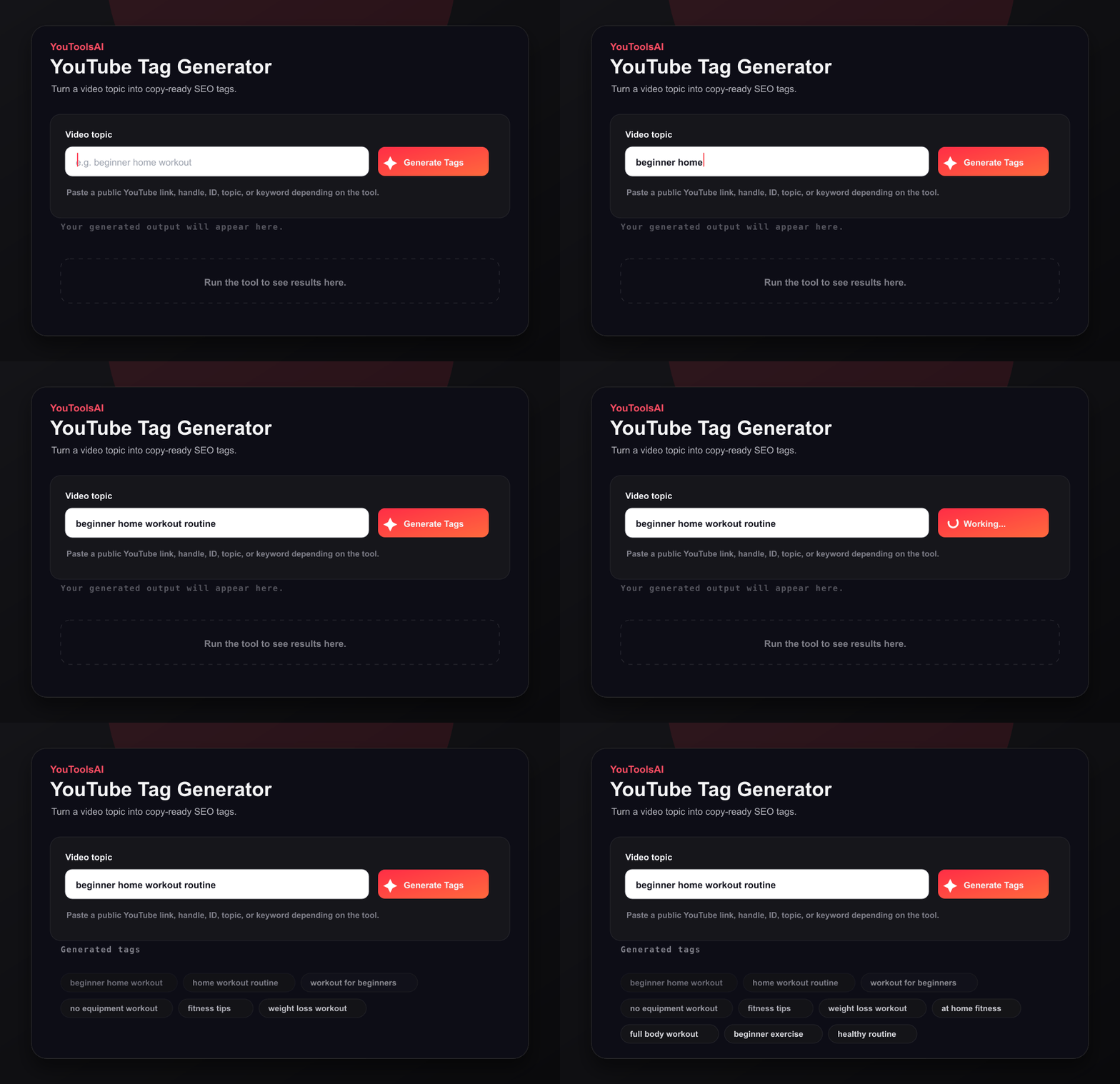
Add the main subject or keyword for your video.
Keep the topic focused.
Run the generator to create exact, related, and long-tail tag ideas.
Build a relevant tag mix.
Copy the tags and paste them into YouTube Studio.
Move from idea to upload.
Tags work best next to a strong headline, so before you upload, write a title that earns the click and keep both built around the same keyword.
Generate your first tag set free — it takes one click.
Here are two examples of tag sets the tool can produce from a simple topic.
Input: beginner home workout
Output: beginner home workout, home workout for beginners, no equipment workout, full body workout at home, easy workout routine, workout without gym
Input: budget travel japan
Output: budget travel japan, japan on a budget, cheap japan trip, japan travel tips, backpacking japan, japan itinerary budget
Tags and hashtags both describe your video, but they work in different places.
| Feature | Tags | Hashtags |
|---|---|---|
| Where they go | The Tags field in YouTube Studio | The title or description |
| Who sees them | Hidden from viewers | Visible and clickable |
| Main job | Give YouTube search context | Group videos by topic |
| How many | Around 5 to 15 | About 3 to 5 |
Use both together: tags give YouTube hidden search context, while hashtags are visible labels that group videos by topic.
Tags are one part of your video's metadata. Once they're set, fill out your video description with the same keywords so every signal points the same way.
Ready to tag smarter? Open the YouTube tag generator and try your topic now.
Common questions about YouTube Tag Generator.
Yes, this is a free YouTube tag generator. You can enter any topic and get tags at no cost, with no signup. Generate and copy as many tag sets as you need, for long videos and Shorts, without hitting a paywall or login screen.
Yes, tags still matter. They give YouTube extra context about your topic, spelling variants, and related terms. Tags will not carry a weak video on their own, but paired with a clear title and description they help the right viewers find your content.
Use around 5 to 15 relevant tags per video. YouTube allows up to 500 characters of tags, but quality matters more than quantity. Lead with your most important phrase, then add close variations — a tight, relevant set beats a long list of loose terms.
Open YouTube Studio, click Content, and pick your video. Click Details, scroll down, and select Show more. Find the Tags field, paste or type your tags separated by commas, then click Save at the top right. The whole process takes under a minute.
Tags sit in a hidden field and help YouTube understand your topic. Hashtags appear in the title or description, are clickable, and group videos together. Use 5 to 15 tags and about 3 to 5 hashtags.
Yes. Shorts need tight, focused tags that match fast, trend-driven searches. Enter your clip topic, keep the set small and specific, and paste the most relevant tags into the video details so YouTube can slot your Short into the right feeds.
Related tools
This free YouTube title generator turns one keyword into click-worthy, search-friendly titles in seconds. Just type your topic, pick a tone, and choose your favourite.
Open toolType in your video title or keyword and get a complete, search-friendly description you can edit and paste into YouTube. Free, and no account needed
Open toolSee the hidden tags behind any public YouTube video. Paste a link, click Extract, and get the full tag list in seconds - free, no login.
Open tool